01
Scan on your device
Hushbridge looks for names, contact details, identifiers and secrets in the text.
ON-DEVICE PRIVACY FOR AI
Hushbridge finds and replaces sensitive details on your device. Your original text stays local during this check. Review the protected version before sending it to AI.
No text sent to AI by this check. No signup or card required.
01 / Your original
Draft a follow-up for our client Maria Delgado. Email: maria@example.com. Case No. 1:24-cv-03187. Ask her to review the settlement proposal by Friday.
02 / What AI would see
3 foundWorks with the AI tools you already use
 ChatGPT


Browser extension compatibility. Manual installation required.
THE EXTRA WORK BEFORE THE WORK
The email is ready to paste. So are the client's name, email address and case reference. Removing those details by hand adds another task before AI can help with the first one.
Hushbridge gives you a version to review with detected details already replaced. Keep the request, check what remains, then send it to AI.
Start with one piece of text. See exactly what changes before you decide whether to use it.
INDUSTRIES

Client correspondence and case notes.

Account details and transaction notes.

Review requirements before using patient information.

Client briefs and research notes.

Identifiers and secrets in technical work.

Customer details in tickets.
Follow your organization's AI policy. Industry pages do not imply certification or regulatory compliance.
USE CASES
Prepare client emails, finance notes and support replies. Start with an example, then explore the full workflow.
Give AI the instructions for your email after replacing detected client names, contact details and case references.
02Keep the transaction context while replacing detected account and card details. Review the protected note before sharing.
03Ask AI to explain a fix with detected customer emails and IP addresses replaced.
FROM PROMPT TO REPLY
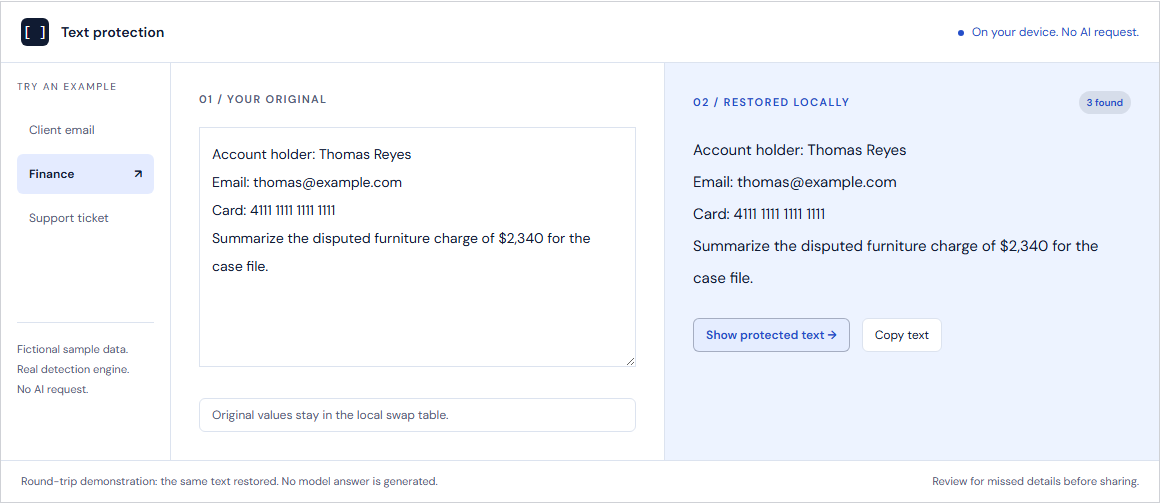
Placeholders help keep the request readable. Your local swap table restores the original values in supported replies, so you can work with names and details again.
01
Hushbridge looks for names, contact details, identifiers and secrets in the text.
02
Check the protected version for missed details and identifying context before you send it to AI.
03
The original values are brought back using the local swap table.
SDK & LOCAL PROXY
Run detection in your own process. Review protected text before the model call, then restore values with the local swap table.
The developer overview is available now. Expanded documentation pages are in preparation.
import { protect, restore } from 'tightlip';

const safe = protect(prompt, { profile: 'legal' });

// Review safe.text before your model call.
// Keep safe.vault in your local process.

const original = restore(safe.text, safe.vault);
Local round-trip example. Add your own model integration to work with AI replies.
EXPLORE YOUR OPTIONS
Ten comparison pages are planned, including Hushbridge vs Secured AI.
YOUR FIRST STEP
Open the free check to see detected details, compare the protected text and test restoration. Everything in the check runs in your browser.
No account. No card. No paid credits used.
WHEN YOU WANT TO USE IT IN YOUR WORK
BEFORE YOU TRY IT
It scans text on your device, replaces detected names, contact details and other sensitive values with placeholders, and keeps a local table for restoring them. You review the result before using it with AI.
The browser extension supports ChatGPT, Claude, Gemini, Copilot and Perplexity. It currently requires manual installation. You can try the detection engine here before installing anything.
The instructions and surrounding text remain. Consistent placeholders help preserve the relationship between people and details. Compare the original and protected versions in the demo above.
No. Detection and restoration run in this browser. The check does not call an AI model, generate an answer or use paid credits.
No detector catches everything. Review the output for missed details and identifying context. The extension does not scan attachments, and an AI website may read text while you type. For sensitive text, check it here before pasting it into an AI website.
You can review installation steps, choose a paid workflow or use the SDK in your own app. Paid use is metered in credits at USD 0.05 each, with prepaid top-ups starting at USD 100. See pricing for the rules for each workflow.